Answers for your whole school community.
Families and staff ask in a private portal or on your website. BaboBot answers from your handbooks, website, emails, and Google Drive files, and you see every question.
Works with the systems your school already uses, and more






- Microsoft 365
- Google Classroom

- Plus more
Parents research schools at night. Your website answers.

No. Riverside is closed on Wednesday, November 11 for Veterans Day.
After-school care (Riverside Plus) is also closed that day.
A private portal for your whole community.
Parents, students, and staff sign in with Google, their school's SIS login, or email, and there's nothing to install. BaboBot knows who's asking. Answers draw on everything your school's records hold about them, from their daily schedule down to their school bus route and extracurriculars. When BaboBot doesn't know, it says so, and a Get More Help button sends the question to your team.
See the PortalEverything your school knows, connected.
- SIS
- LMS
- Calendars
- Google Drive
- Other apps
- Website
- Emails
- Handbooks
Your school's answers, in one place your community can trust.
01 For admins
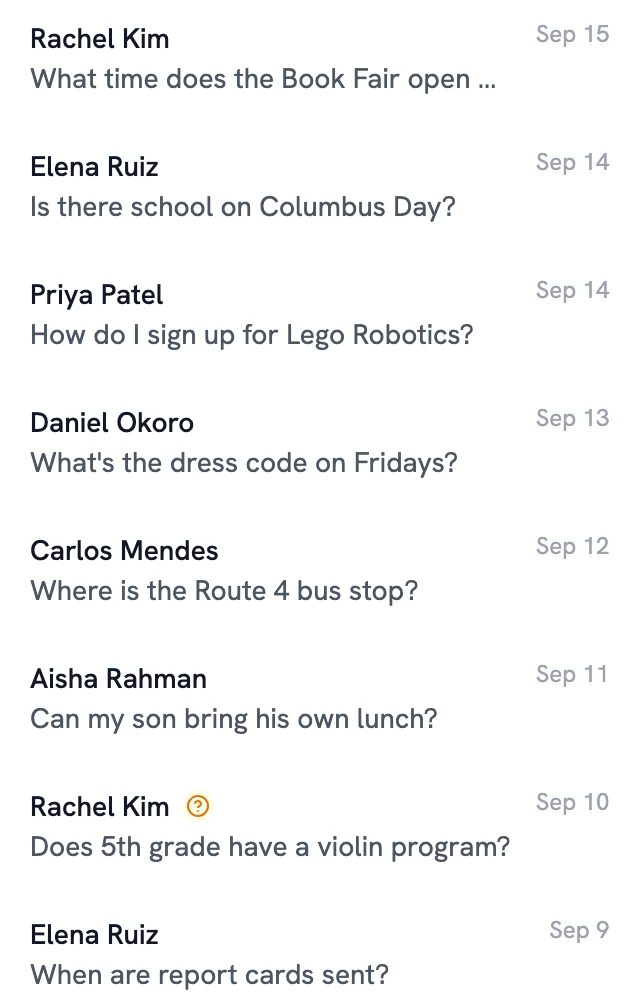
See every question people ask.
Read every conversation from your website and the portal, including the ones BaboBot couldn't answer. The questions show what your communications are missing and what prospective families care about when they decide where to enroll. We also put together detailed reports on how your community uses BaboBot, built around what your school wants to know.
02 Conflicts
Contradictions flagged before anyone asks.
When your handbook, website, and emails disagree on a date, a time, or a policy, BaboBot flags it for an admin as the documents are added. You pick the right answer and fix it once.
The handbook and the August dismissal procedures give different Lower School dismissal times
03 For staff
Staff get answers too.
Teachers and staff ask about procedures, like what to do when they need to be out, and get answers that link the right forms and policies. Staff-only documents stay with staff.
Log it on the Staff Absence Form, and the front office books your sub.
- By when: submit it by Thursday at 3:00 PM so there's time to line up a sub.
- Sub plans: leave them in your Sub Plans folder, with your seating charts and Friday's schedule.
- Your duty: you have morning carpool on Fridays. Let Dana Whitfield, your grade-level lead, know so it gets covered.
04 Upkeep
Stays current without extra work.
Upload your handbook, link your web pages and Google Drive files, and add BaboBot to your mailing lists. It keeps checking linked pages for updates, and roster sync keeps student, parent, and staff information current.
- Spring-Musical-Rehearsals.docxStudentsGuardiansStaffAdmins
- After-School Program: Riverside PlusGuardiansStaffAdmins
- emailThe Riverside Weekly: October PreviewIn 1 conflictStudentsGuardiansStaffAdmins
- October Lunch MenuStudentsGuardiansStaffAdmins
An incomplete answer is a wrong answer.
Every fact, not just every page
BaboBot reads each document down to its individual facts: a date, a time, a deadline. A detail on page 40 of the handbook still counts.
It knows which version is current
It notices when a newer source replaces an older one, and flags it for an admin when two sources disagree.
Each person gets their own answer
A 3rd-grade parent and a teacher can ask the same question and get the answer meant for them. BaboBot only uses sources that person is allowed to see.
Live in under a week.
- 1
Bring your sources
Upload your handbook and documents, link your web pages and Google Drive files, and add BaboBot to your mailing lists. Roster sync from your SIS brings in students, parents, and staff.
- 2
Choose who sees what
Mark each source for families, students, staff, or admins. Staff-only documents stay with staff. Pick the inbox where questions sent to staff land.
- 3
Go live
Give the Widget your school's colors and starter questions, then add it to your website with one line of code. Open the Community Portal to families and staff.
See how BaboBot would work at your school.
A 30-minute walkthrough of the Widget, the Community Portal, and conflict detection, with time for your questions.
Want BaboBot at your child's school? Ask for it here